
MenuMuse
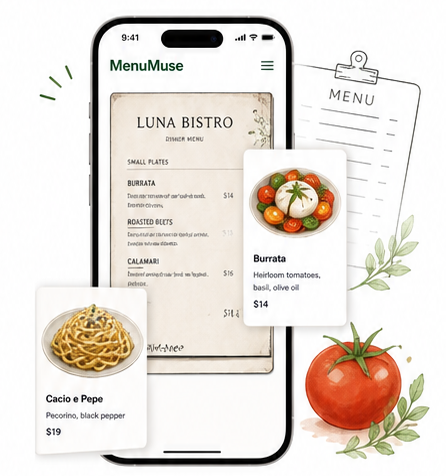
Scan any restaurant menu.
Turn it into an illustrated dish
list you'll actually remember.
Scan menu
AI recognizes dishes
Beautiful illustrations
Save & revisit favorites
Help & Legal Resources
Everything you need to understand how MenuMuse works
and how we protect your data.
Support
Answers to common questions and help using MenuMuse.
View support
Privacy
Learn how we collect, use, and protect your information.
View privacy
Terms
Read the terms and conditions for using MenuMuse.
View terms
Delete account
Permanently delete your account and associated data.
Learn how
App Store review
Leave a review on the App Store.
Write a review
Data we handle
We are committed to transparency. Here's a summary of the data MenuMuse may collect and why.
View full privacy policy
Data type
What we collect
Why we collect it
Shared with
Email infos
(when you sign in) To create and manage your account Not shared
(when you sign in) To create and manage your account Not shared
Photos of menus
you scan To detect dishes and create illustrations Not shared
you scan To detect dishes and create illustrations Not shared
Saved dishes and
collections To save your favorites across devices Not shared
collections To save your favorites across devices Not shared
App interactions, features
used, diagnostics To improve app performance Analytics providers
(aggregated)
used, diagnostics To improve app performance Analytics providers
(aggregated)
Device model, OS version,
app version To ensure compatibility and fix issues Not shared
app version To ensure compatibility and fix issues Not shared
We never sell your personal data.
Delete account
Permanently delete your account and data in a few steps.
Need help? Contact us and we'll assist you.
Frequently asked questions
See all support articlesWhat happens to my data if I delete my account?
Your account and saved scan history linked to that account are deleted.
Does MenuMuse work offline?
No. Menu parsing, image search, and saved history require an internet connection.
How do I manage my saved dishes?
Open MenuMuse, sign in, and use your saved scan history and favorites in the app.
Is my payment information secure?
MenuMuse does not collect payment card details on these support pages.